





Schema markup is a small piece of code that labels the key details on your website (your business name, address, phone number, opening hours and services) so search engines know exactly what each detail means. Visitors never see it. Google, Bing and AI-powered search tools read it.
This guide covers what schema does and doesn’t do, which types matter for Australian small businesses, what changed in 2026, and how to add and test schema on a WordPress website.
What Is Schema Markup?

Search engines read pages well, but they still have to guess. A number on your contact page could be a phone number, an ABN or a price. Schema removes the guesswork.
Schema uses a shared vocabulary from Schema.org, a project founded by Google, Microsoft, Yahoo and Yandex. With it, your page can state facts like these:
- This is our business name.
- This is our address in Brisbane, Queensland.
- These are our opening hours.
- This is a service we offer, and these are the suburbs we cover.
Think of it as a business card written for search engines: the same facts that appear on your page, in a format a machine can read without interpretation.
What Schema Does for Your Business
1. It helps search engines understand who you are
Schema defines your business as one clear entity and links your website, Google Business Profile and social profiles together. That consistency supports the information Google shows about your business across Search and Maps. Our guide to the Google Knowledge Panel explains this in more detail.
2. It makes your pages eligible for rich results
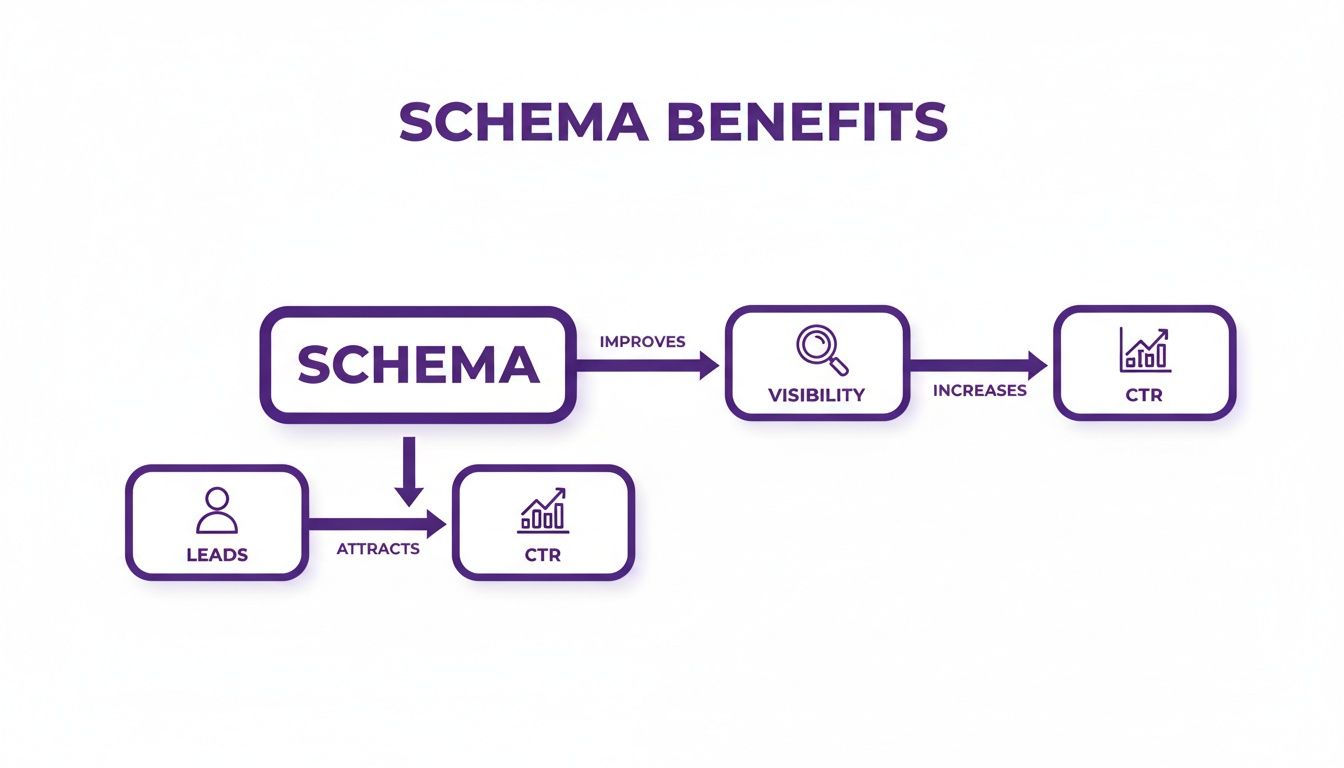
Rich results are enhanced search listings, such as breadcrumbs, product prices and ratings, event dates and article details. Schema makes a page eligible for them, but Google decides when to show them. When they appear, they can lift clicks: in a case study published by Google, Rotten Tomatoes measured a 25% higher click-through rate on pages with structured data compared with pages without it.
3. It gives AI search clean, consistent facts
AI Overviews, AI Mode, ChatGPT and other answer engines need accurate facts about your business. Schema is one way to present those facts consistently. Be wary of anyone selling a special “AI schema”, though. Google states that no special schema.org markup is required to appear in its AI features. Clear content, a crawlable website and accurate structured data that matches your visible page are what count.
What schema won’t do: it won’t lift your rankings on its own, it doesn’t guarantee a rich result, and it can’t make up for thin content. Schema is a clarity tool. It works best on top of solid SEO foundations.
For local businesses, schema is one part of local search optimisation, alongside your Google Business Profile, reviews, citations and location content. See the top local SEO ranking factors for the bigger picture.
The Schema Types That Matter for Australian Small Businesses
You don’t need every schema type. Most service businesses need a handful, set up properly.
| Schema type | What it tells search engines | Where it goes |
|---|---|---|
| LocalBusiness (use the most specific type, e.g. Plumber, Electrician, Dentist, AccountingService) | Name, address, phone, opening hours, service area and map location | Home page and contact page |
| Organization with sameAs links | Your official logo, plus links to your Google Business Profile, Facebook, LinkedIn and other profiles | Home page |
| Service | Each service you offer and the area you serve | Each service page |
| BreadcrumbList | Where a page sits in your site structure | Every page (most SEO plugins add this automatically) |
| Article / BlogPosting | Headline, author, and publish and update dates | Blog posts |
| Product (with offers and reviews) | Price, availability and product ratings | Product pages (online stores) |
If you work in construction or the trades, these SEO tactics for construction companies show how local schema fits alongside project and location content.
What Changed in 2026 (and What Hasn’t)
- FAQ dropdowns are gone. As of 7 May 2026, Google no longer shows FAQ rich results for any website. FAQPage markup is still valid and harmless, but it no longer earns extra space in search results.
- Stars for your own business don’t show. Since 2019, Google hasn’t displayed review stars when a business marks up reviews of itself, whether directly or through a review widget. Product reviews on product pages can still show stars.
- There’s no special markup for AI. Google’s guidance confirms AI Overviews and AI Mode rely on normal SEO fundamentals, and any structured data must match what’s visible on the page.
The takeaway: treat schema as a way to describe your business accurately, not as a shortcut to special search features.
How to Add Schema to a WordPress Website
Option 1: An SEO plugin (the foundation)
Plugins such as Rank Math and Yoast SEO add core schema automatically, including Organization, WebSite, Article and BreadcrumbList. Enter your business details in the plugin settings and it writes the code for you. For most small businesses, this covers the basics.
Option 2: Custom JSON-LD (for a competitive edge)
Plugins rarely cover everything well. A specific business type, your full service area and individual Service markup on each service page usually need custom JSON-LD, added by your developer or SEO specialist.

JSON-LD is Google’s recommended format. It sits in its own script block, separate from your visible content, so it’s easier to add, update and troubleshoot. The older formats, Microdata and RDFa, still work, but they weave code through your page’s HTML and are harder to maintain.
Here’s a simplified example for a fictional Brisbane plumber:
<script type="application/ld+json">
{
  "@context": "https://schema.org",
  "@type": "Plumber",
  "name": "Example Plumbing Co",
  "url": "https://www.example.com.au",
  "telephone": "+61 7 0000 0000",
  "address": {
    "@type": "PostalAddress",
    "streetAddress": "1 Example Street",
    "addressLocality": "Brisbane",
    "addressRegion": "QLD",
    "postalCode": "4000",
    "addressCountry": "AU"
  },
  "openingHoursSpecification": [{
    "@type": "OpeningHoursSpecification",
    "dayOfWeek": ["Monday", "Tuesday", "Wednesday", "Thursday", "Friday"],
    "opens": "07:00",
    "closes": "17:00"
  }],
  "areaServed": ["Brisbane", "Logan", "Ipswich"]
}
</script>
Every value in that code must also appear on the page: the same business name, phone number, address and hours your customers see.
Most websites do best with both options: a plugin for the foundation, plus custom markup where it adds detail. Just make sure the two don’t output conflicting copies of the same business details.
How to Test Your Schema
- Google’s Rich Results Test shows which Google rich results a page is eligible for and flags errors.
- Schema Markup Validator checks all Schema.org markup, including types Google doesn’t use for rich results, such as Service.
- Google Search Console rich result reports show errors across your whole website over time, once your pages are live.
Test before and after publishing. One missing comma can stop an entire block of markup from being read. Schema validation is also part of our technical SEO checklist.
Common Schema Mistakes to Avoid
- Markup that doesn’t match the page. If it’s in your schema, it must be visible on the page. Marking up hidden or misleading information breaks Google’s guidelines and can lead to a manual action.
- Using a generic type. Choose the most specific type that fits, such as Electrician rather than LocalBusiness.
- Marking up your own testimonials for stars. They won’t display, so put your review effort into your Google Business Profile instead.
- Details that drift out of date. When your hours, phone number or address change, update your schema, website and Google Business Profile together.
- Duplicate or conflicting markup. A plugin and a theme, or two plugins, can each output their own business details. Choose one source of truth.
Schema Markup FAQs
How long does schema take to work?
Google needs to re-crawl the page first, which can take anywhere from a few days to a few weeks. Even with valid markup, rich results aren’t guaranteed. Google decides when to show them.
Is schema a Google ranking factor?
Not directly. Schema helps Google understand your pages and can make them eligible for rich results, which can improve click-through rates. It won’t help a weaker page outrank a stronger one on its own.
Does schema help with ChatGPT and AI Overviews?
It can help AI systems read your business details consistently, but it isn’t a requirement. Google says structured data isn’t required for its generative AI features. Accurate content, consistent business details across the web and a strong reputation matter more.
Can I add schema to my WordPress website myself?
Yes. An SEO plugin handles the basics. For specific business types, service pages and service areas, custom markup gives a more complete result, and it needs to be tested and kept up to date.
What happens if my schema is wrong?
Usually, Google ignores markup it can’t read or doesn’t trust, so you miss out on the benefit. Deliberately misleading markup, such as fake reviews or hidden information, can lead to a manual action that removes your eligibility for rich results.
Want your schema set up properly? DigitUX implements and tests schema markup as part of our Local SEO and AI SEO services, matched to your business type, services and service area.